
Struggling to figure out who is sharing your Instagram posts is common. Most users expect a clear list, but Instagram does not work that way. This creates confusion when you try to track post activity or understand reach.
Knowing how sharing works can help you read your insights better and avoid guessing wrong data. You also learn what Instagram actually allows, what stays hidden, and how to use available tools correctly.
Here you will understand how to see who shared your Instagram post, what data is visible, and the real ways to track sharing activity inside Instagram.
Does Instagram Show Who Shared Your Post?
Instagram does not show usernames for people who share posts, so there is no way to see who shared your Instagram post using exact identity tracking within the app.
Only total share numbers appear in insights, and direct message shares stay private between users, keeping individual activity hidden.
The platform prioritizes privacy, so only aggregate engagement data is visible rather than detailed user-level sharing information.
How to See Who Shared Your Instagram Post to Stories?
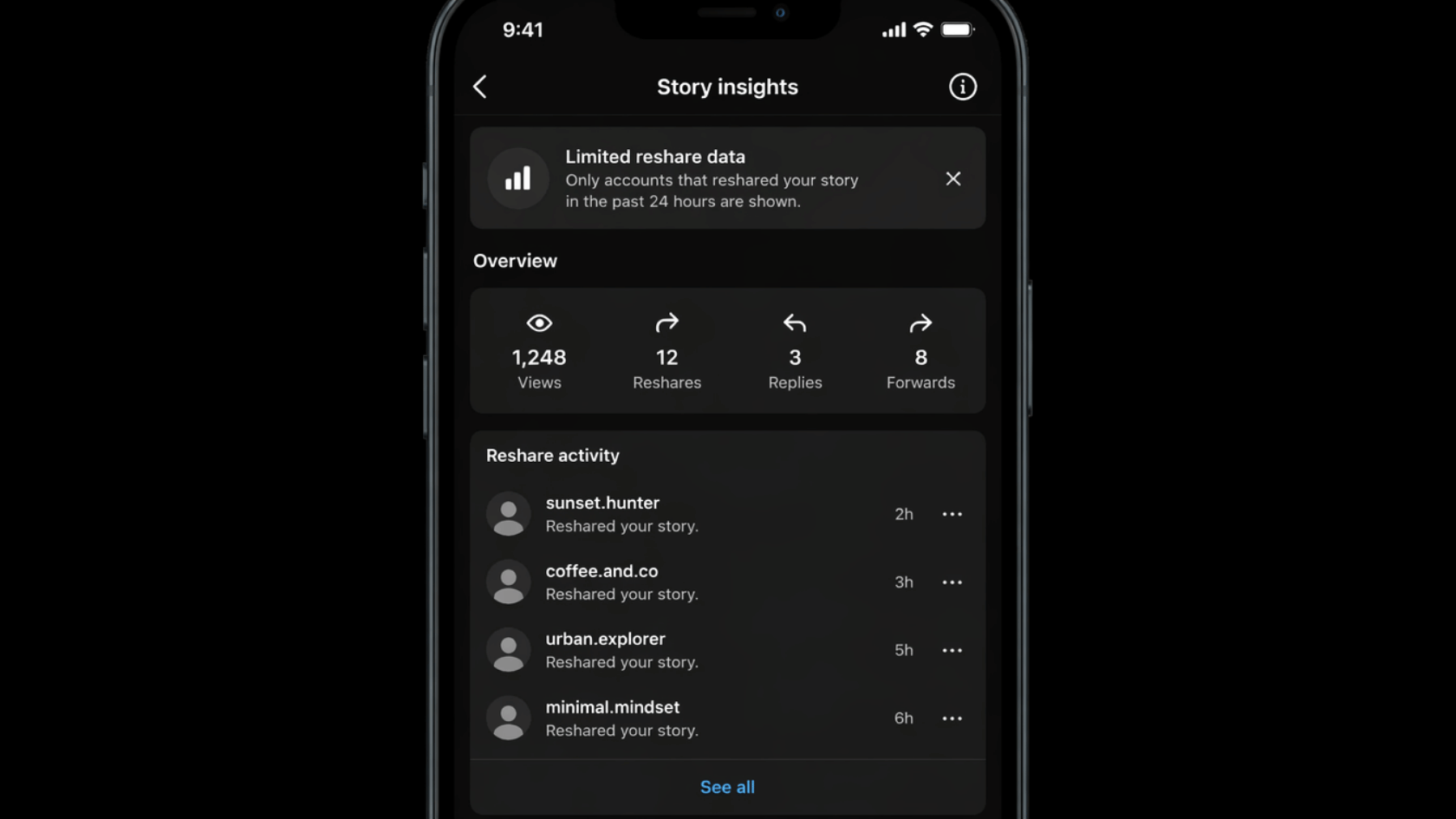
The “Seeing Who Shared Your Instagram Post to Stories” feature helps you check limited story-based shares directly on Instagram, when available for public accounts.
- Open Post from Profile: Go to your profile and select the post you want to check for sharing activity.
- Tap the Three Dots Menu: Click the three dots in the top-right corner of the post to open the options.
- Select Story Reshares: Choose “View Story Reshares” if the option appears on your screen.
- Check Available List: View users who shared your post to public stories within the allowed time window.
- Public Account Requirement: This option works only for public accounts, not private ones.
- Time Limit Notice: Story reshare data is usually visible for about 24 hours.
- Limited Availability: The option may not appear if no one has shared the post to a public story.
This is the only direct method available inside Instagram for viewing story-based shares.
Check Share Count Using Instagram Insights
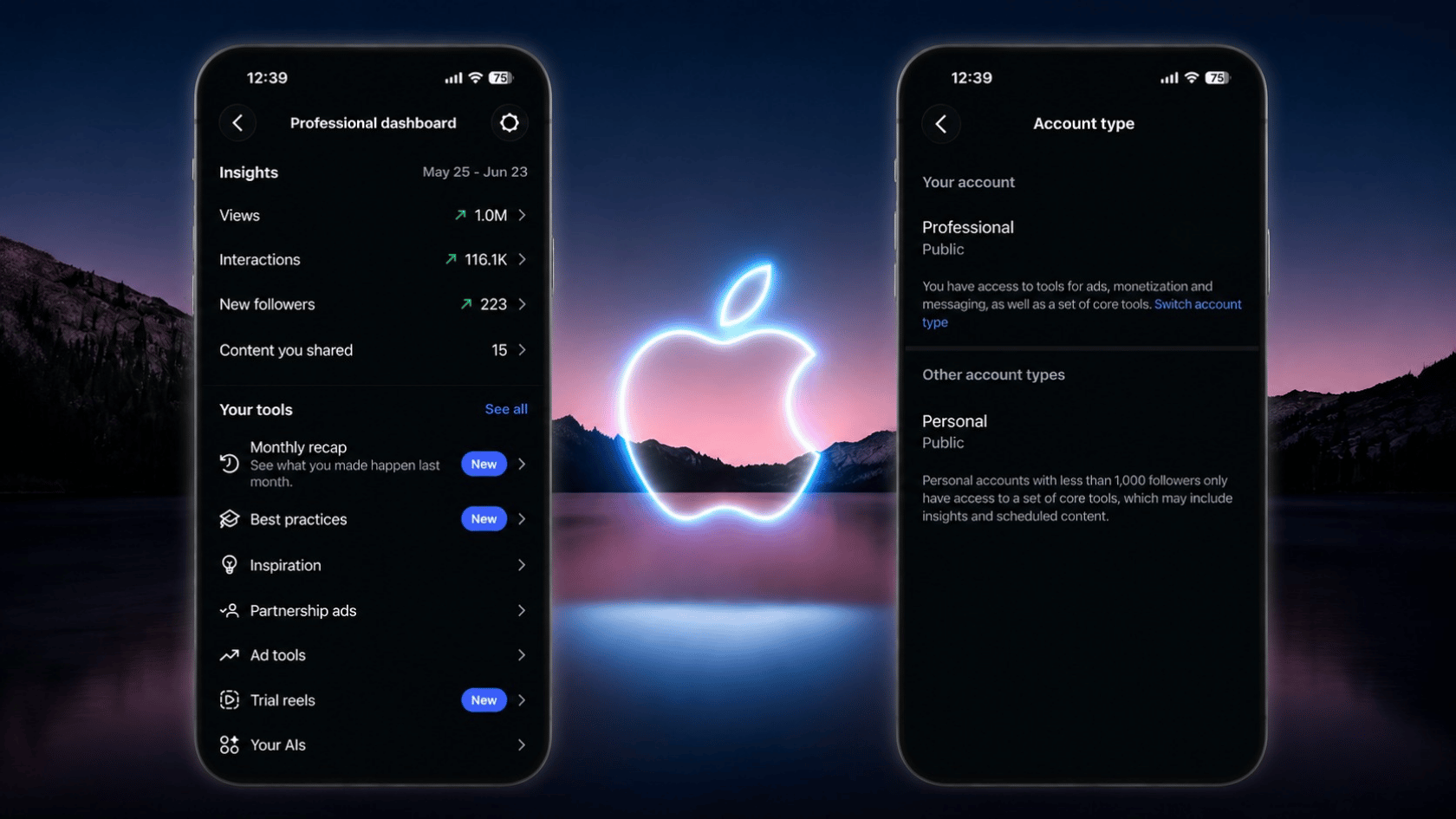
Instagram Insights gives a basic breakdown of post performance, but it does not reveal who shared your post. It only shows overall numbers.
Step 1: Switch to a Professional Account
- Go to Instagram settings
- Switch to Creator or Business profile
- This unlocks analytics features like Insights
Step 2: Open Your Post
- Visit your profile
- Select the post you want to analyze
- Tap the “View Insights” option below it
Step 3: Find Share Data
- Look for the paper airplane icon
- This represents how many times the post was shared
- It includes both story and DM shares in the total count
Instagram Insights only shows total share count, reach, impressions, and basic engagement data. It does not reveal usernames, so you cannot see who shared your Instagram post through insights.
Why Instagram Limits Share Visibility?
Instagram limits share visibility because of strict privacy rules. How to see who shared your Instagram post is restricted since direct message shares stay private and cannot be tracked individually.
Story reshares may appear only for public accounts, and even then, only temporarily. This keeps the sharing activity visible only for a short time window.
Instead of showing usernames, Instagram only provides total share counts and basic engagement metrics such as reach and impressions.
Common Reasons Share Information Is Missing
Share details on Instagram may not appear due to timing, privacy rules, and account limits. These factors control the visibility of reshare data.
- No one shared the post to a public Story.
- Shares expired after 24 hours.
- Account type is personal without insights access.
- Content has low recent engagement.
Even if shares occurred, Instagram may not display them because the system only shows eligible activity for public accounts.
Can Third-Party Tools Show Who Shared Your Post?
Many apps claim they can show who shared your Instagram post, but Instagram does not allow external tools to access this data, so the results are not accurate.
The Instagram API does not provide user-level share details, and most tools only show estimates or general engagement metrics instead of real identities.
No third-party tool can reveal the exact names of users who shared your post, as Instagram keeps this information private.
Related Instagram Share Features
Instagram has a few share-related features that show engagement, but they do not reveal the exact users who shared a post.
• Story Reshares for Public Accounts: Posts may appear when shared to public stories.
• Repost Mentions: Tags or mentions show indirect sharing activity.
• Engagement Metrics (Saves & Likes): Shows interaction level, not share identity.
• Reel Share Count in Insights: Only total numbers are shown, no usernames.
These features reflect activity levels only and do not show full details of users sharing posts.
Conclusion
Instagram does not show exactly who shared your posts, but you can track overall activity through insights and story reshares.
Use this information to understand engagement and focus on how your posts perform. Regularly check insights to spot patterns in reach and shares.
Remember, total activity matters more than individual names. Keep exploring Instagram features to improve content strategy.
Share your thoughts or drop a comment below on how to see who shared your Instagram post helped you.
Frequently Asked Questions
Can I Get Notified when Someone Shares My Instagram Post?
No, Instagram does not send notifications when someone shares your post, either in stories or direct messages.
Do Shares Help Improve Post Reach on Instagram?
Yes, shares can improve reach because Instagram considers them as engagement signals. More shares can help your post appear to a wider audience over time.
Can Deleted Posts Still Show Share Activity?
No, once a post is deleted, its insights and share data are no longer accessible inside Instagram.