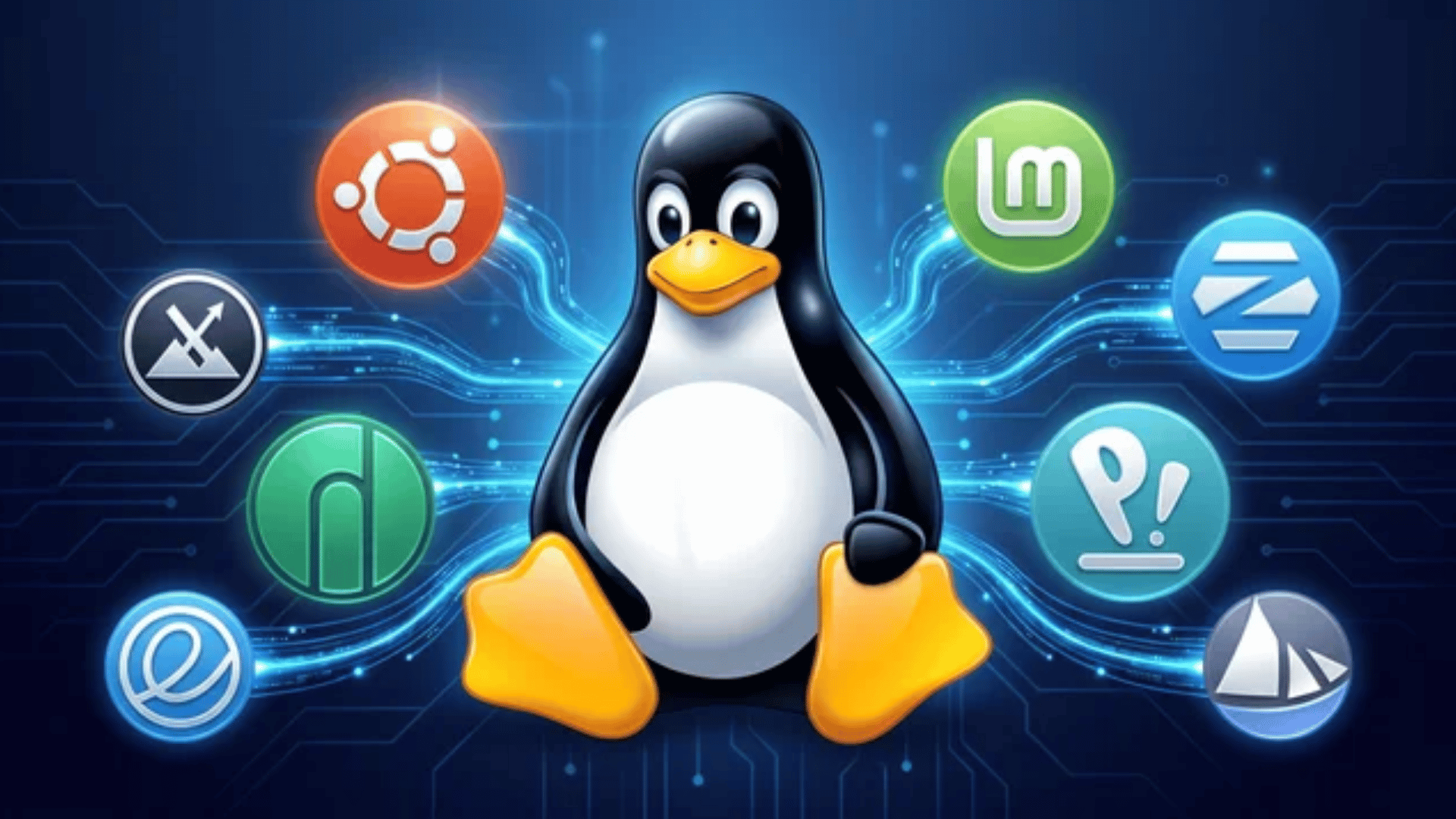
Switching to a new operating system can feel overwhelming, especially when you don’t know where to start.
Linux has a reputation for being complicated, but the truth is, it’s never been more beginner-friendly than it is today.
It’s free, fast, and runs beautifully on almost any machine. No forced updates, no subscriptions, and far more control over your own system.
Whether you’re switching from Windows, leaving macOS, or just curious, the best Linux distros for beginners in 2026 are covered here, with everything you need to pick the right one and get started with confidence.
What Is a Linux Distribution?
A Linux distro (short for distribution) is a complete operating system built around the Linux kernel.
It combines the core Linux system with software, applications, and tools to make it usable for specific purposes, like desktop computing or servers.
Each distro can have its own package manager, interface, and default applications, giving it a unique look, feel, and functionality.
Linux distros are created and maintained by communities or organizations to meet different user needs.
The Main Distro Families
Most Linux distros are based on a few “parent” systems, which dictate how the OS is built and how it manages software.
| Family | Known For | Best For |
|---|---|---|
| Debian | Stability, reliability, and beginner-friendliness | New users, everyday desktops |
| Fedora | Latest software, developer & enterprise focus | Developers, power users |
| Arch Linux | Total control, rolling release, advanced users | Enthusiasts, custom builds |
How Distros Are Tailored to Users?
While the Linux kernel powers every distro equally, what changes is the experience built on top of it.
Different distros are shaped around different needs:
- Everyday Users: Pre-packaged with browsers, office suites, and app stores for a ready-to-go experience.
- Developers: Loaded with compilers, coding environments, and developer tools right out of the box.
- Security Professionals: Stocked with hundreds of network analysis and ethical hacking tools.
- Older Hardware: Stripped-down and lightweight, running smoothly on machines with minimal RAM or processing power.
Think of it like choosing a pre-built house; the foundation is the same, but each one is decorated, furnished, and organized differently.
Best Linux Distros for Beginners 2026
No matter where you’re starting from a Windows switcher, a Mac user, a complete beginner, or just someone curious about Linux there’s a distro built for you.
Here are some of the best options to match your experience level and workflow:
1. Ubuntu: The Perfect Starting Point
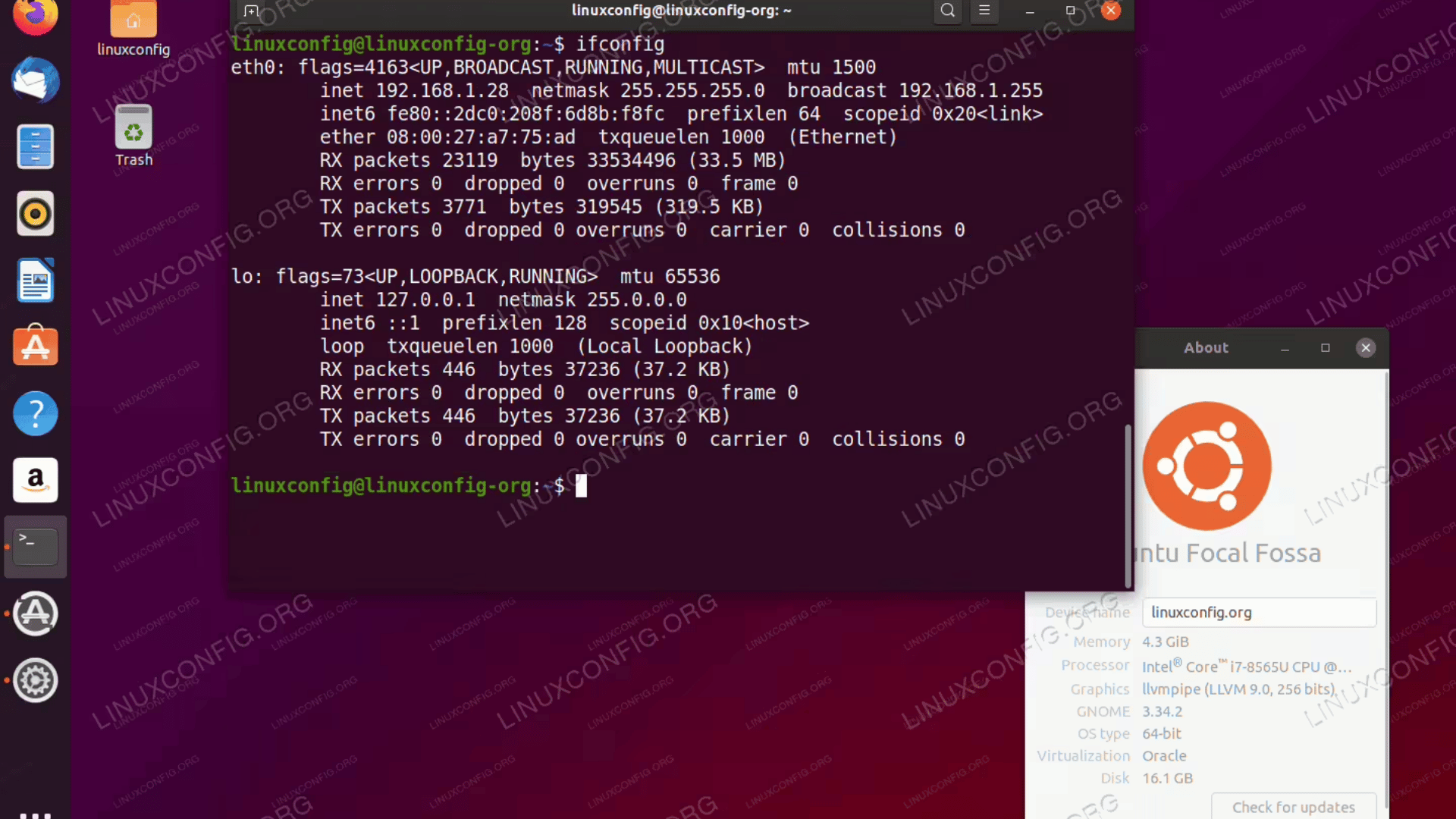
Ubuntu is the name most people hear first when they discover Linux, and it earns that reputation. With a clean, modern interface and rock-solid hardware support, it removes the guesswork from getting started.
Backed by one of the largest communities in the open-source world, Ubuntu is never short on help, guides, or resources. If you want a system that’s ready to use from day one, this is it.
Key Features:
- Sleek GNOME desktop that feels familiar and easy to navigate
- Regular releases plus a Long-Term Support (LTS) version backed by five years of updates
- Vast software library with access to thousands of apps out of the box
- Thriving community forums, tutorials, and official documentation for every skill level
Good for: Anyone taking their first steps into Linux or making the switch from Windows or macOS.
Best for: Desktops, laptops, and beginners.
By the numbers: Ubuntu runs over 40% of Linux-based cloud servers and has 70 million+ downloads. Its name, from a Zulu word meaning ‘I am because we are,’ reflects its community-driven philosophy.
2. Linux Mint: Familiar Feel for Former Windows Users
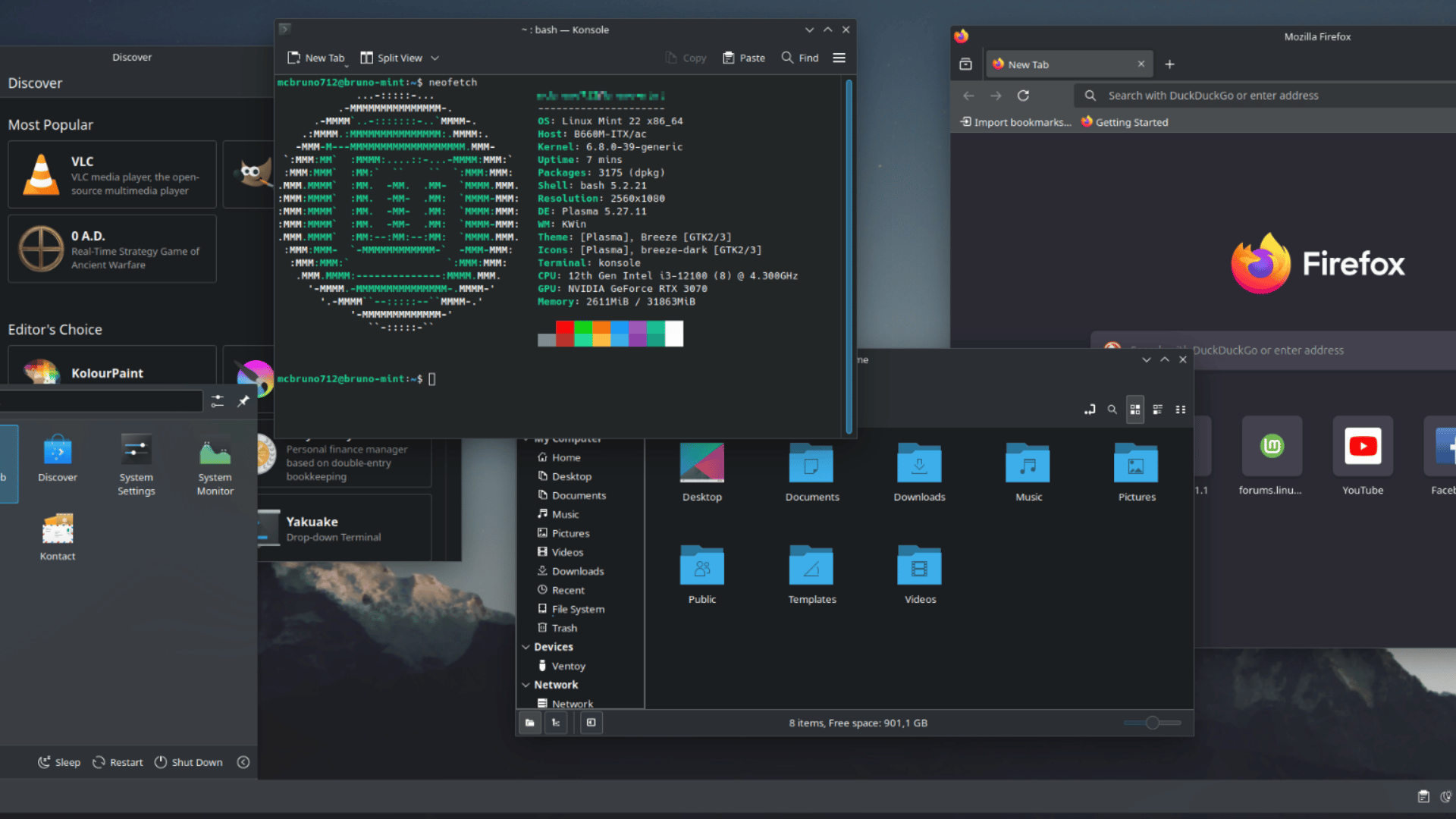
Linux Mint is built for anyone who wants the power of Linux without leaving everything familiar behind. Its Cinnamon desktop mirrors the classic Windows layout so closely that most users feel at home within minutes.
Stable, fast, and packed with essential tools right out of the box, Mint takes the friction out of switching. It even runs beautifully on older hardware, giving aging machines a new lease on life.
Key Features:
- Traditional desktop layout that feels instantly recognizable to Windows users
- Ships with multimedia codecs and everyday apps pre-installed
- Excellent performance on older and low-spec hardware
- Multiple desktop options, including Cinnamon, MATE, and Xfce
Good for: Windows switchers looking for a smooth, stress-free introduction to Linux.
Best for: Desktops, older machines, and learners.
Linux Mint has been the top-visited distro on DistroWatch for over a decade, helping millions of former Windows XP and 7 users switch to Linux.
3. Zorin OS: A Windows-Like Experience With Style
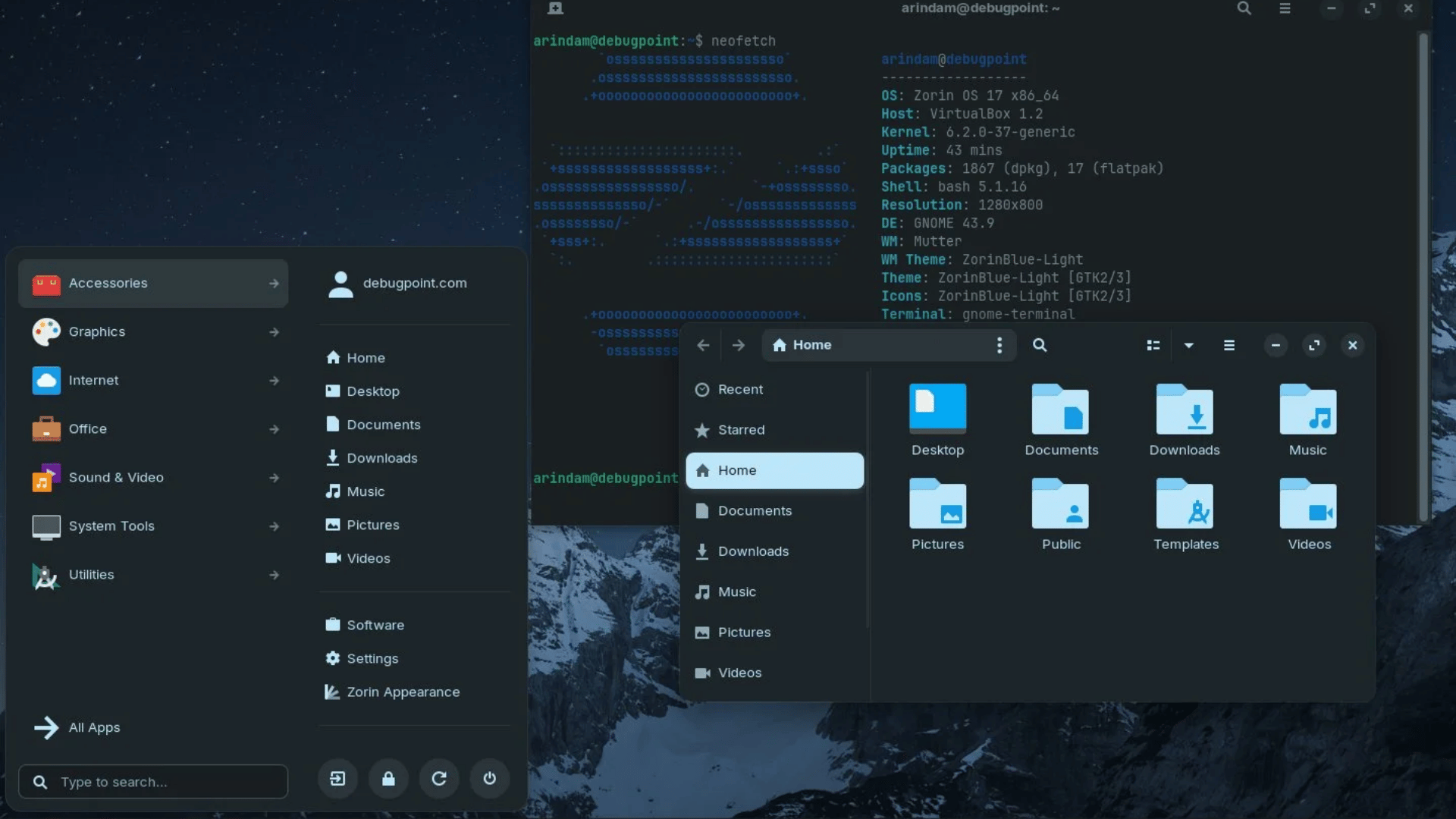
Zorin OS is designed from the ground up with newcomers in mind, polished, modern, and far less intimidating than traditional Linux desktops.
Its look-and-feel switcher lets you mimic Windows or macOS right out of the box, so the transition feels natural from day one.
Beyond its good looks, Zorin keeps things practical with built-in tools for installing mainstream apps and solid performance on modest hardware. It’s Linux made comfortable, without cutting any corners.
Key Features:
- Look-and-feel switcher to replicate Windows or macOS styles instantly
- Built-in tools for installing popular mainstream applications with ease
- Reliable performance even on modest or mid-range hardware
- Zorin Connect for seamless smartphone integration
Good for: Users who want a highly intuitive experience with minimal tinkering.
Best for: New users, laptops, and desktops.
4. Pop!_OS: Optimized for Productivity and Creators
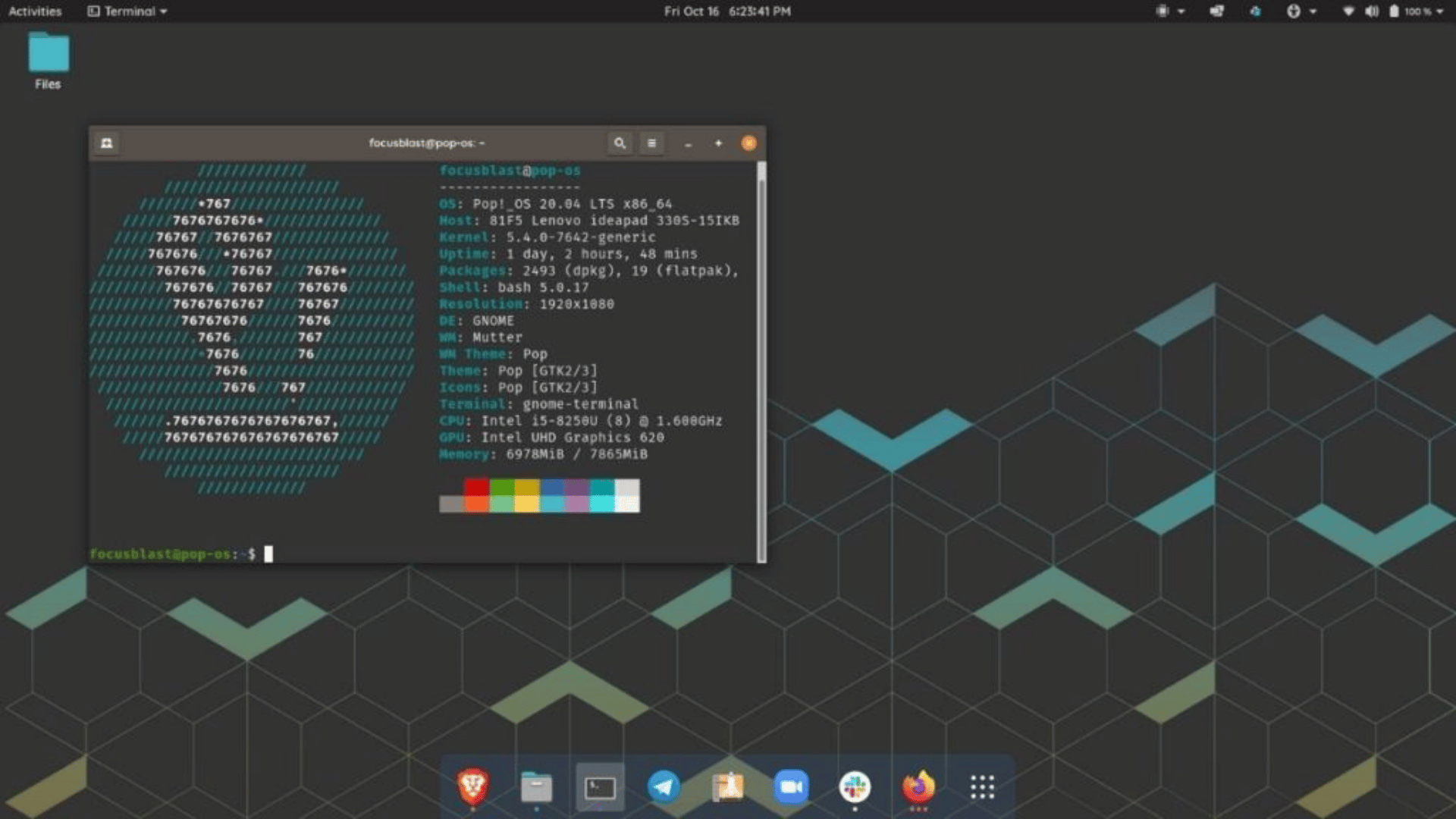
Developed by System76, Pop!_OS is Linux built with purpose, clean, fast, and fine-tuned for people who demand more from their machine. Designed to stay out of your way so you can focus.
With best-in-class GPU driver support and smart auto-tiling built right in, Pop!_OS rewards power users without overwhelming beginners. It’s a distro that grows with you.
Key Features:
- Clean, distraction-free COSMIC desktop built for focused work
- Outstanding support for NVIDIA and AMD GPU drivers out of the box
- Built-in auto-tiling window management for efficient multitasking
- Frequent updates backed by an active and responsive development team
Good for: Creative professionals, developers, and power users stepping into Linux.
Best for: Laptops, desktops, and productivity-driven environments.
5. Elementary OS: A Mac-Inspired Beginner Experience
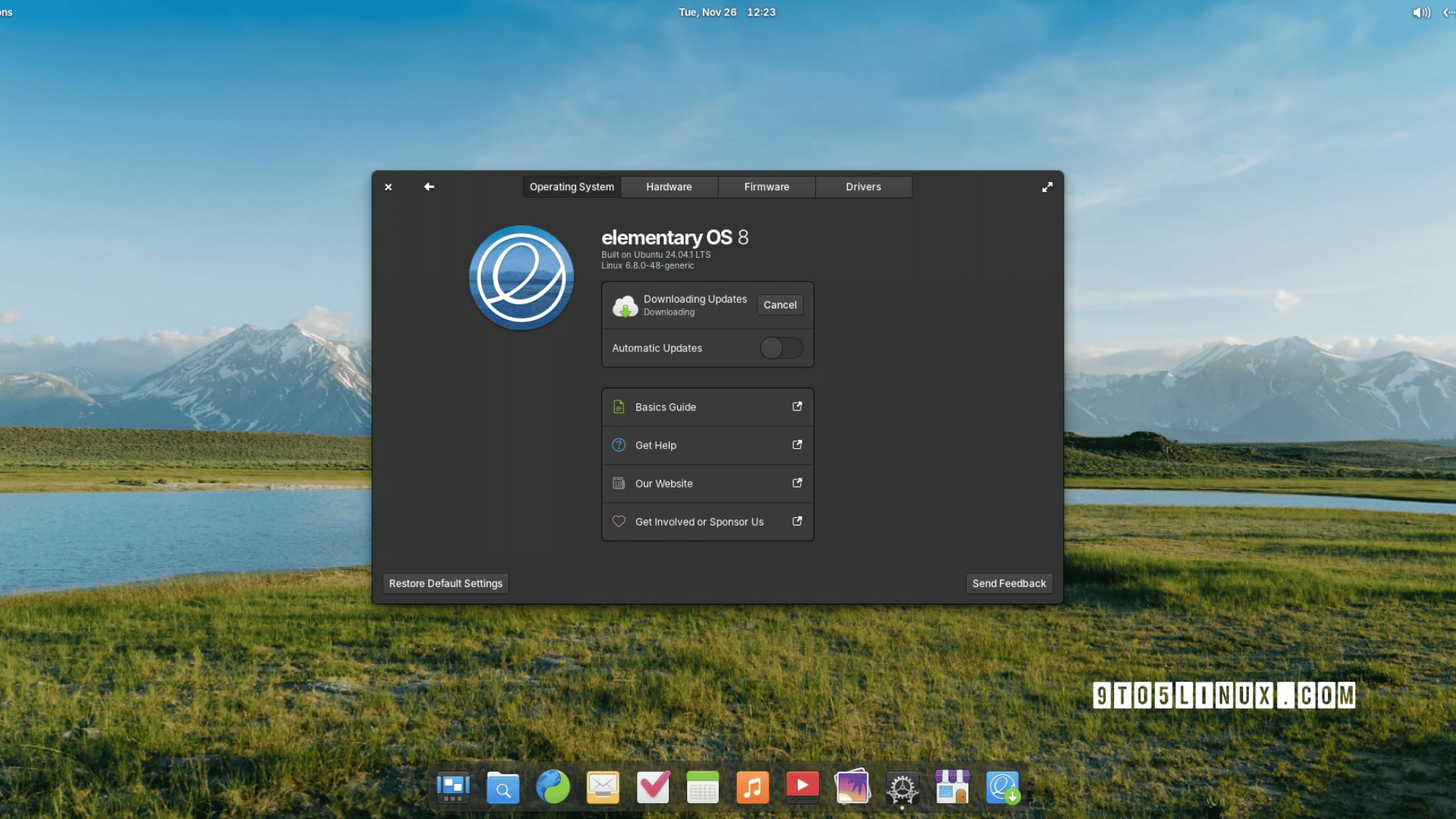
Elementary OS is one of the most refined and intentional Linux distros available. Every detail, from the icons to the animations, feels considered and cohesive. If you’re coming from macOS, its clean Pantheon desktop will feel like familiar territory.
Built around simplicity and privacy, Elementary OS strips away the noise and keeps the experience focused. It’s Linux for people who care as much about how their system looks as how it works.
Key Features:
- Elegant, cohesive Pantheon desktop designed for clarity and consistency
- Curated app ecosystem that prioritizes quality over quantity
- Strong built-in focus on user privacy and simplicity
- AppCenter for safe, hand-picked app installs
Good for: Users who value aesthetics and simplicity over granular control.
Best for: Laptops, desktops, and creative beginners.
Worth Knowing: Elementary OS introduced a pay-what-you-want AppCenter, letting developers earn directly from their apps while keeping them free and accessible to all users.
6. Manjaro: Arch Linux Without the Hassle
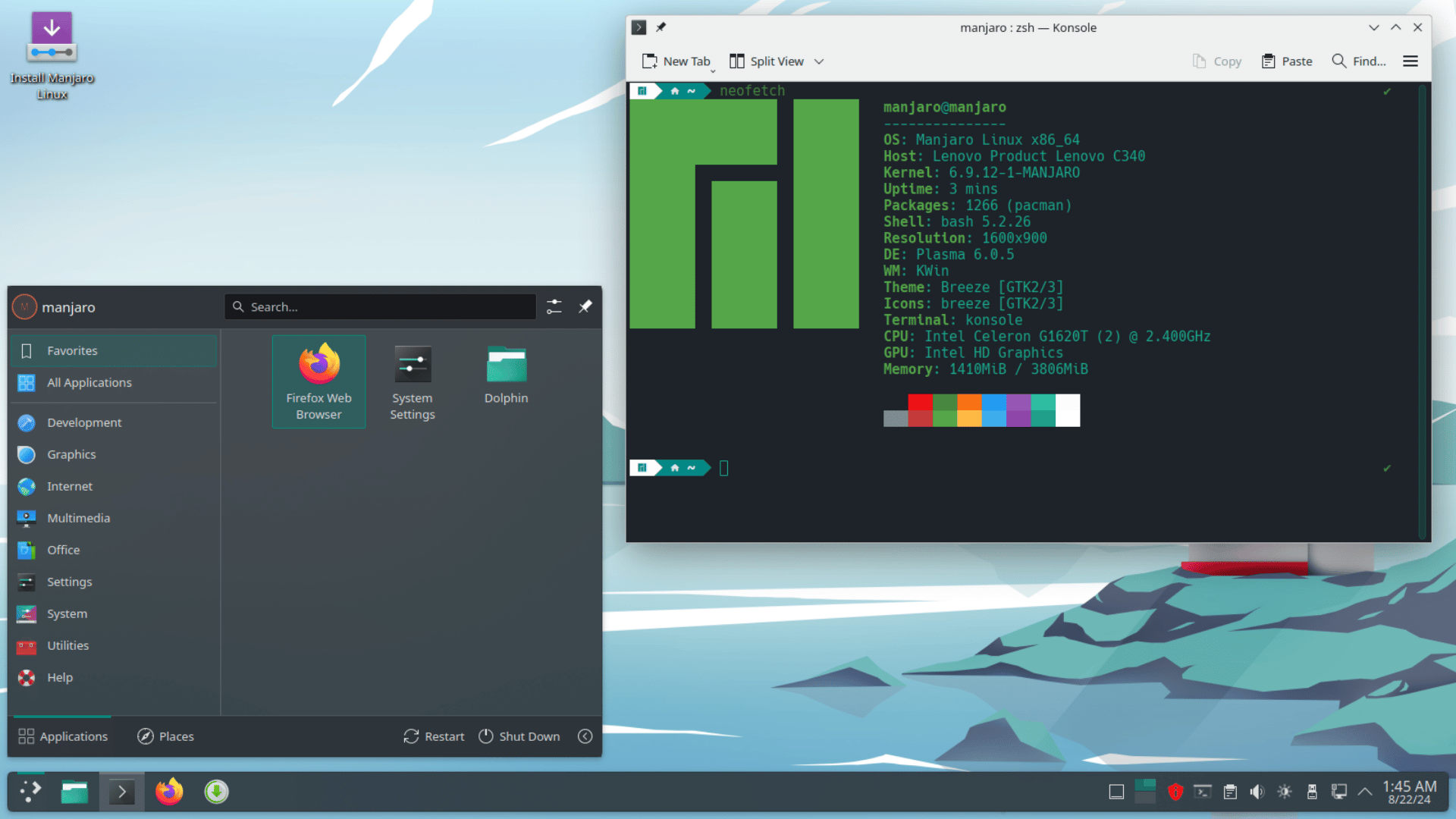
Manjaro gives you the raw power and cutting-edge software of Arch Linux without requiring you to build everything from scratch.
It strikes a rare balance advanced enough for enthusiasts, approachable enough for those still finding their footing.
With automatic driver detection, a rolling-release model, and multiple desktop editions to choose from, Manjaro keeps your system fresh and your hardware well supported at every step.
Key Features:
- The rolling release model ensures your software is always current
- Beginner-friendly installer with preconfigured desktop environments
- Multiple editions, including Xfce, KDE Plasma, and GNOME
- Strong, active community with extensive support resources
Good for: Users who want newer software and solid performance without deep Linux expertise.
Best for: Intermediate beginners and curious, hands-on users.
Did you know: Manjaro provides access to the Arch User Repository (AUR), a massive community library with 85,000+ packages more than most OSs offer from a single source.
7. MX Linux: Lightweight and Friendly
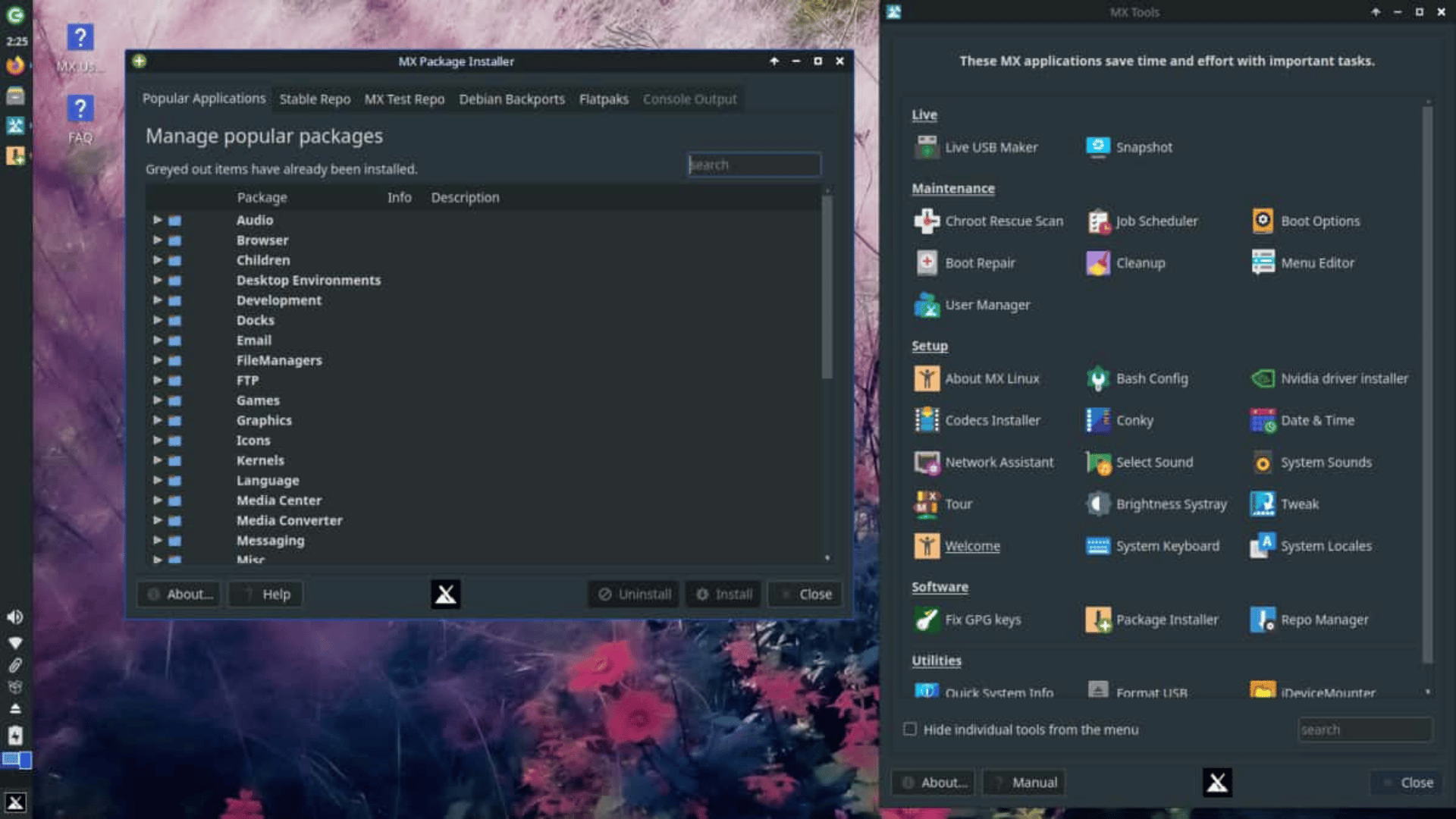
MX Linux proves that a fast, efficient system doesn’t have to mean a stripped-down experience. Built for performance on modest and older hardware, it delivers a smooth desktop without demanding much in return.
Beneath its friendly surface lies a surprisingly capable toolkit. MX Tools gives users easy access to system maintenance and customization, making it a distro that rewards both beginners and those who like to dig deeper.
Key Features:
- Lightweight and responsive even on aging or low-spec hardware
- Handy MX Tools suite for system maintenance and troubleshooting
- Beginner-friendly out of the box with room to grow and customize
- A well-balanced blend of simplicity, stability, and power
Good for: Users with older hardware or anyone who wants a lean, efficient daily driver.
Best for: Low-resource machines and desktops.
MX Linux topped DistroWatch charts for five years, surpassing Ubuntu and Linux Mint, all thanks to a volunteer-driven community and word of mouth.
8. Linux Lite: The Lightest Way Into Linux
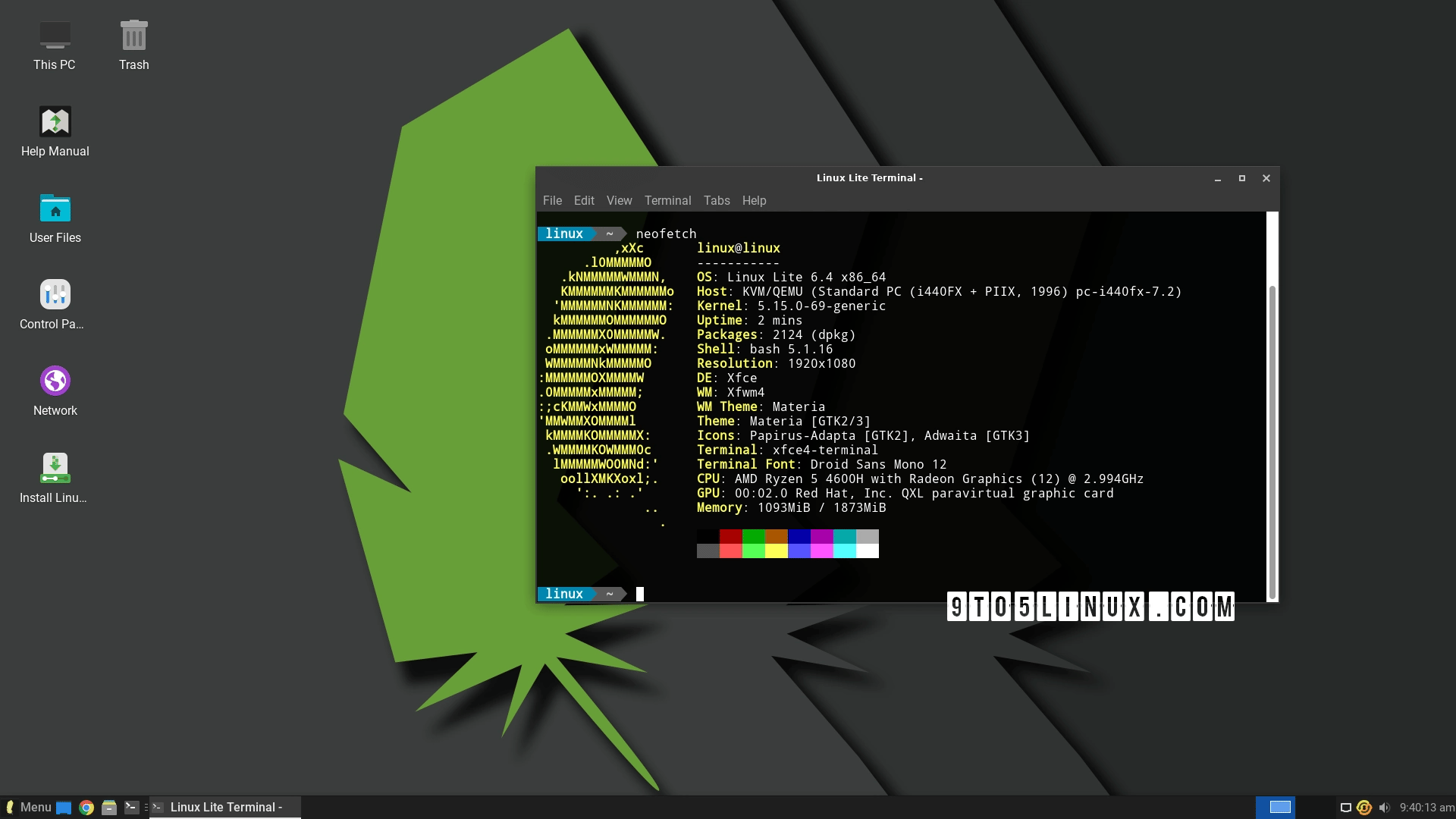
Linux Lite is built for one purpose: making Linux as accessible and painless as possible, especially on hardware that other distros have left behind. If your PC is older or underpowered, this is where you start.
Stripped down but never short on usability, Linux Lite ships with everyday essentials pre-installed and a familiar desktop that feels immediately comfortable. It’s Linux without the overwhelm.
Key Features:
- Lightweight Xfce desktop that runs smoothly on older and low-spec hardware
- Ships with essential apps pre-installed, including a browser, media player, and office suite
- Linux Lite Help application built in for instant guidance and support
- Based on Ubuntu LTS for long-term stability and software compatibility
Good for: Users with older or budget hardware who want a smooth, no-fuss introduction to Linux.
Best for: Aging PCs, low-resource machines, and first-time Linux users.
|
NOTE: Every distro on this list is completely free to download, install, and use no subscriptions, no licenses, no hidden fees. A few offer optional paid upgrades for extra features, but the free version is more than enough for any beginner. |
Match Yourself to the Right Beginner Distro
Here’s a quick way to decide:
| User Type | Best Picks |
|---|---|
| Absolute beginner | Ubuntu, Zorin OS |
| Windows exile | Linux Mint, Zorin OS |
| macOS vibe | Elementary OS |
| Gamers & creators | Pop!_OS |
| Efficient performance | MX Linux |
| New but adventurous | Manjaro |
How to Install Linux: Setup and First Steps
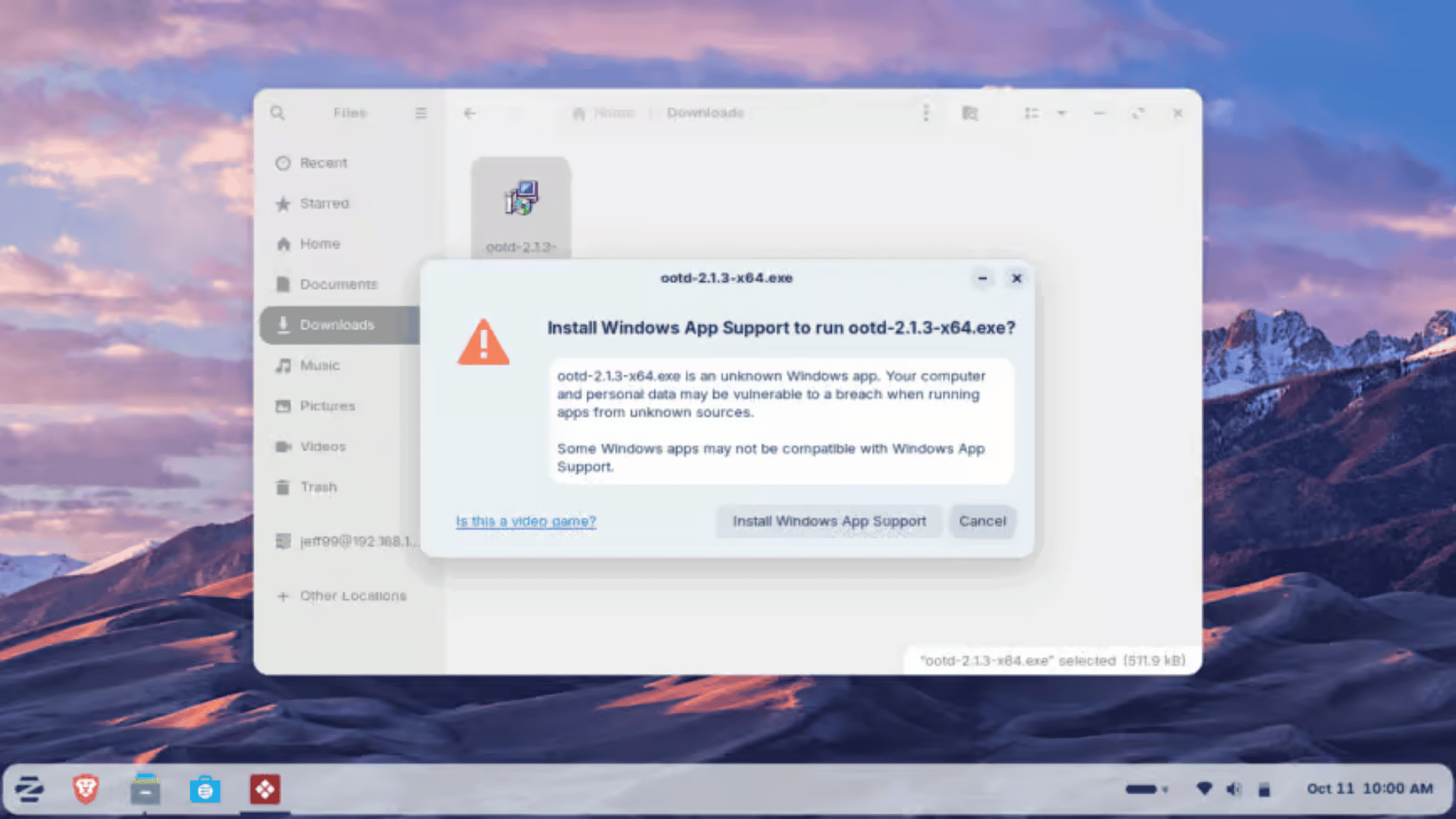
Installing Linux is more straightforward than most people expect, and the right first steps can make all the difference.
- Download the ISO: Visit your chosen distro’s official website and download the installation image.
- Flash it to a USB drive: Use a free tool like Balena Etcher or Rufus to write the ISO image to the drive.
- Boot and Install: Restart your computer, select the USB from the boot menu, and follow the step-by-step installer.
- Update Immediately: After installation, run a system update to install the latest security patches and drivers.
- Install Your Apps: Use the built-in app store or package manager to add your browser, tools, and essentials.
- Adjust Your Settings: Spend a few minutes customizing display, sound, and privacy preferences to your liking.
A little setup goes a long way once the basics are in place; Linux quickly starts to feel like home.
Why Are More Beginners Choosing Linux in 2026?
More first‑time users are exploring Linux because modern distributions are easier to install, more polished, and don’t force intrusive updates or subscriptions that many mainstream OSes now push.
Linux also runs well on both new and older hardware, letting people breathe new life into aging PCs without extra cost.
Many are drawn by stronger privacy and greater control over their systems, with fewer background-tracking services than major proprietary systems.
At the same time, improvements in software availability, gaming compatibility, and desktop friendliness have made everyday tasks smoother for non‑technical users.
Most fears about switching to Linux come from the unknown, but millions of non-technical users have made the switch easily and never looked back.
Linux Lite vs Linux Mint vs Ubuntu: Key Differences
All three are beginner-friendly Linux distros built on a solid Ubuntu/Debian foundation, but each one serves a different type of user.
Here’s how they compare where it matters most:
| Linux Lite | Linux Mint | Ubuntu | |
|---|---|---|---|
| Best For | Older and low-spec hardware | Windows switchers | Absolute beginners |
| Desktop Environment | Xfce | Cinnamon, MATE, Xfce | GNOME |
| RAM Requirement | 768MB minimum | 2GB minimum | 4GB recommended |
| Performance | Lightweight and fast | Moderate | Moderate to heavy |
| Software Library | Good | Excellent | Excellent |
| Community Support | Small but active | Large | Very large |
Try Linux Without Touching Your Current OS
Linux doesn’t ask you to burn bridges. There are several ways to explore it without touching your existing setup or risking a single file.
- Try a live USB boot Linux directly from a flash drive, no installation required.
- Use a virtual machine to run Linux inside your current OS, completely side by side.
- A dual-boot setup lets you install Linux alongside Windows or macOS and choose which one to boot at startup.
- Windows users can use WSL to run a Linux terminal without rebooting or reinstalling anything.
- Most beginner distros include a “Try before you install” option right from the boot menu.
Note: You don’t need to uninstall Windows or macOS to use Linux. Dual booting lets you keep both systems on the same machine and simply choose which one to load at startup.
Best Linux Distros for Experienced Users
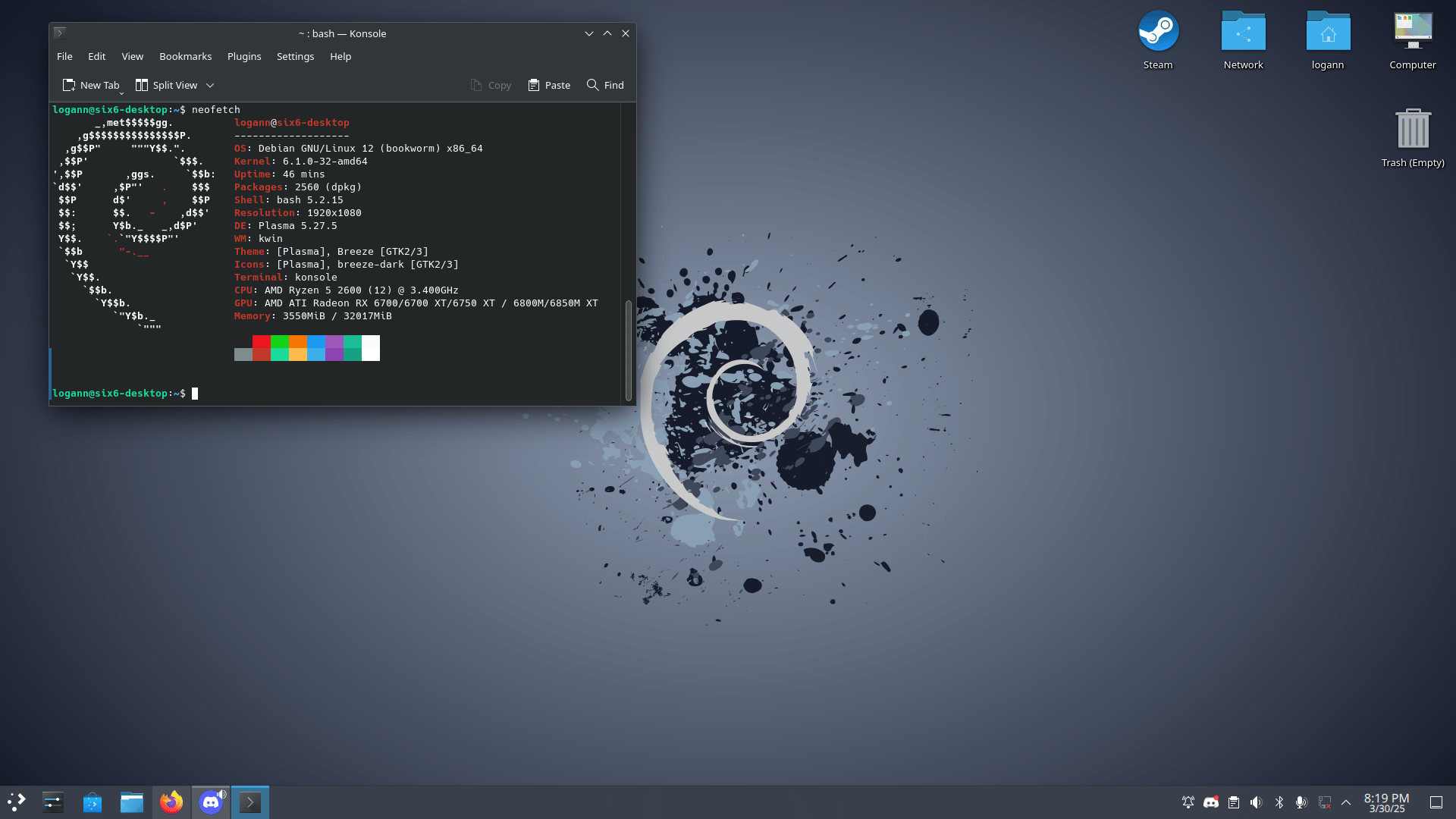
Beyond the beginner-friendly picks, Linux has a wider ecosystem of distros built for specific goals and different approaches to updates and maintenance.
Read the table below to see what sets them apart:
| Distro | Based On | Best For | Release Model |
|---|---|---|---|
| Fedora | Independent (Red Hat upstream) | Developers, cutting-edge software users | Fixed (short cycle) |
| Debian | Independent | Stability seekers, advanced users, and servers | Fixed (stable/testing/sid) |
| openSUSE | Independent | New and experienced users, developers | Both (Leap + Tumbleweed) |
| Solus | Built from scratch | Desktop-focused, polished experience | Rolling |
| CachyOS | Arch Linux | Performance enthusiasts, intermediate+ users | Rolling |
Common Mistakes to Avoid When Choosing a Distro
Picking the wrong distro is one of the easiest ways to have a frustrating first experience.
Here’s what to watch out for.
- Starting with an advanced distro: Some distros are powerful but not beginner-friendly. Always start with something designed for ease of use.
- Ignoring hardware compatibility: Always check that your key hardware is fully supported before committing to an install.
- Skipping the live USB test: Try before you install most distros offer this, and it takes just minutes.
- Choosing based on looks alone: A great interface means nothing without stability, app support, and an active community behind it.
- Overlooking community size: A smaller community means fewer tutorials, slower fixes, and less help when things go wrong.
Best Linux Distro for Beginners: Reddit Discussion Insights
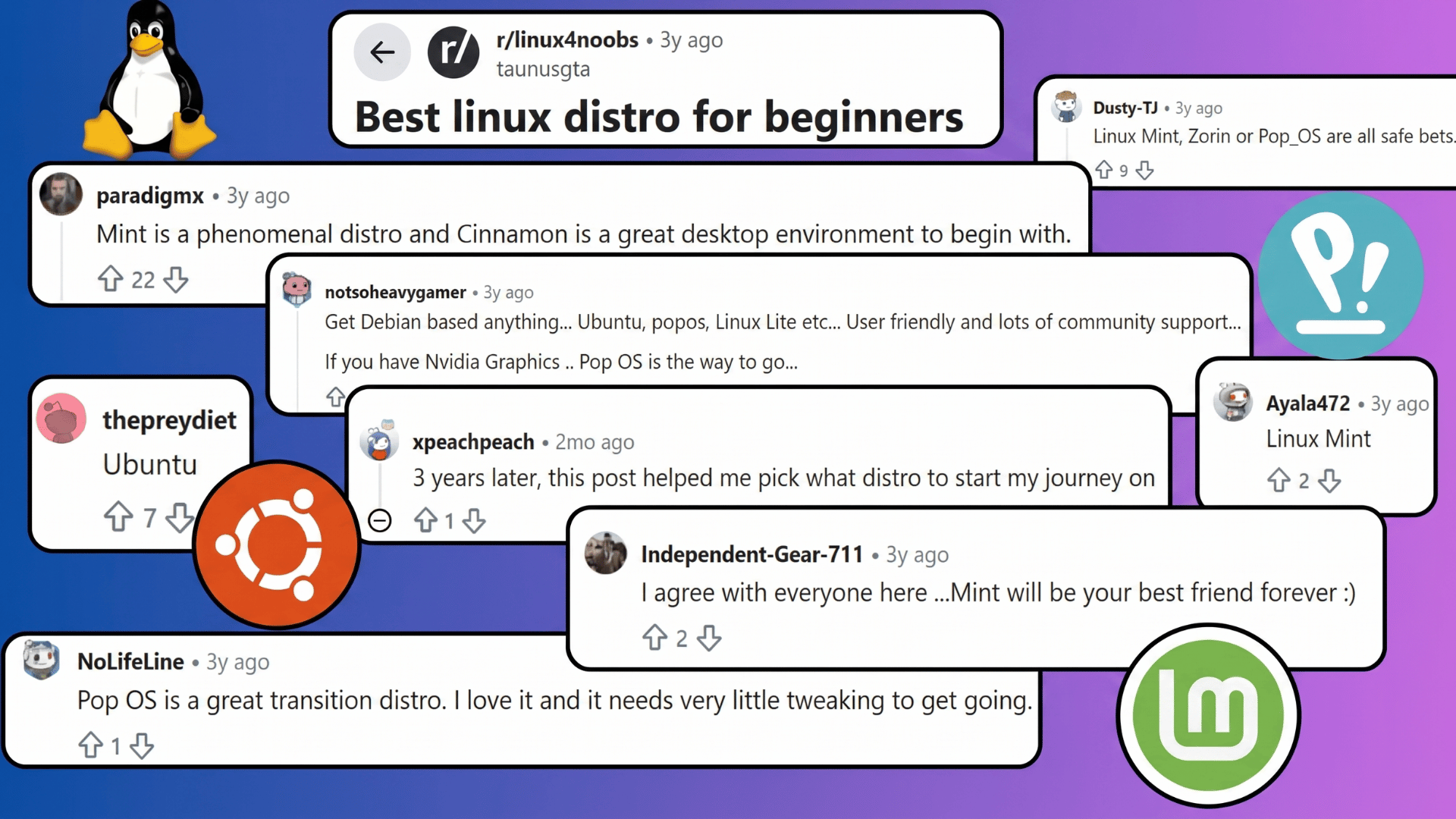
A Reddit thread asked users for advice on the best Linux distro for beginners.
Some commenters recommended Linux Mint, praising its Cinnamon desktop as a familiar and easy-to-use environment for first-time Linux users.
Others suggested Ubuntu, Pop!_OS, or Linux Lite for their user-friendly interfaces, strong community support, and smooth transition from Windows or macOS.
A recurring point was that Debian-based distros are generally reliable for beginners, offering stability, lots of resources, and beginner-friendly tools.
Several users highlighted the importance of choosing a distro that fits one’s hardware and personal comfort level rather than following hype alone.
The overall tone of the discussion was practical and supportive, with most commenters agreeing that Linux Mint, Zorin OS, and Pop!_OS are safe, beginner-friendly choices.
Final Thoughts
Linux has come a long way, and today, making the switch is easier than ever.
The best Linux distros for beginners offer everything you need right out of the box, without the steep learning curve most people expect.
Whether you prioritize familiarity, performance, or simplicity, there’s a distro built around exactly how you work.
The hardest part isn’t learning Linux; it’s taking that first step. Pick one distro from this list, flash it to a USB, and give it an hour. That’s genuinely all it takes.
Ready to make the switch? Start with Ubuntu or Linux Mint. Download either one today and see how quickly Linux starts to feel like home.
Which distro are you planning to try first? Drop your thoughts in the comments below; we’d love to hear from you.
Frequently Asked Questions
What Is the Best Linux Distro for Gaming?
Pop!_OS excels at gaming with built-in GPU support, while Manjaro offers rolling updates and wide hardware compatibility.
What Is the Easiest Linux Distro for Windows Users?
Linux Mint is widely considered the easiest transition for Windows users, with a familiar desktop layout, pre-installed codecs, and a setup process that requires almost no adjustment.
What Is the Best Linux Distro for Beginners Who Want to Customize?
Manjaro and Zorin OS offer the best balance of beginner-friendliness and customization: Zorin for its layout switcher, Manjaro for its access to the massive AUR software library.